What happens each week of pregnancy, and what should I eat?
Every week has a size, a few milestones, a list of what you might feel and one nutrient worth paying attention to. Avo puts all four on one card, for all 42 weeks, with a kick counter and checklists when you need them.
Why week-by-week guides stop at the fruit
The size comparison is the easy part
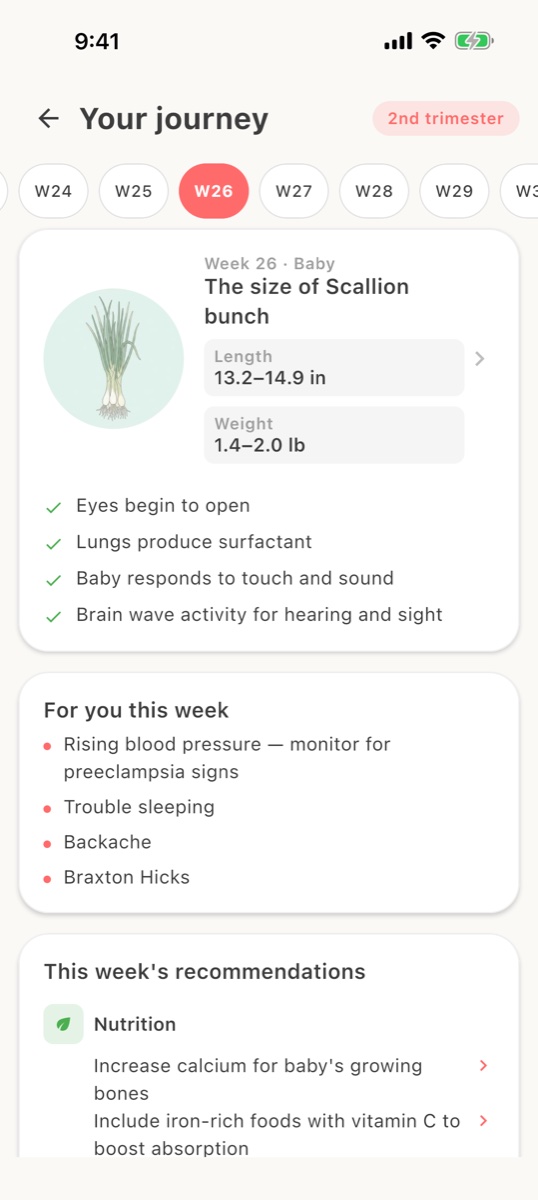
A scallion bunch at 26 weeks is charming, but the useful lines are the next four: eyes opening, lungs producing surfactant, and the symptoms you may feel this week.
Few guides connect the week to the plate
Calcium matters most when bones are forming; iron when blood volume climbs. A week-by-week that does not say what to eat has left out the part you can act on.
The tools live in other apps
A kick counter here, a hospital bag list there, a birth plan in a notes app. The week should know what you need next and put it a tap away.
How Avo's week by week works
Your journey, one card per week
Baby's size, length and weight range, this week's development milestones, what is for you this week, and the recommendations: the nutrition to focus on and why. Scroll back and forward through all 42 weeks.
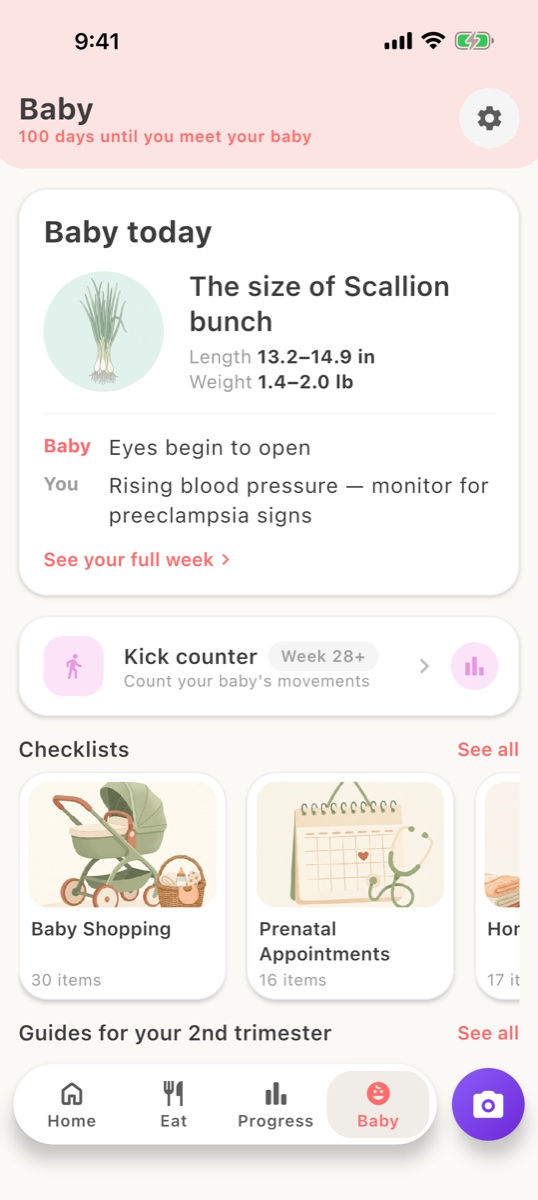
Baby today, and the countdown
The Baby tab shows today's size, one line for baby and one for you, the days until you meet them, and the tools for this stage: a kick counter from week 28, and checklists for baby shopping, prenatal appointments and the hospital bag.
The week sets the nutrient focus
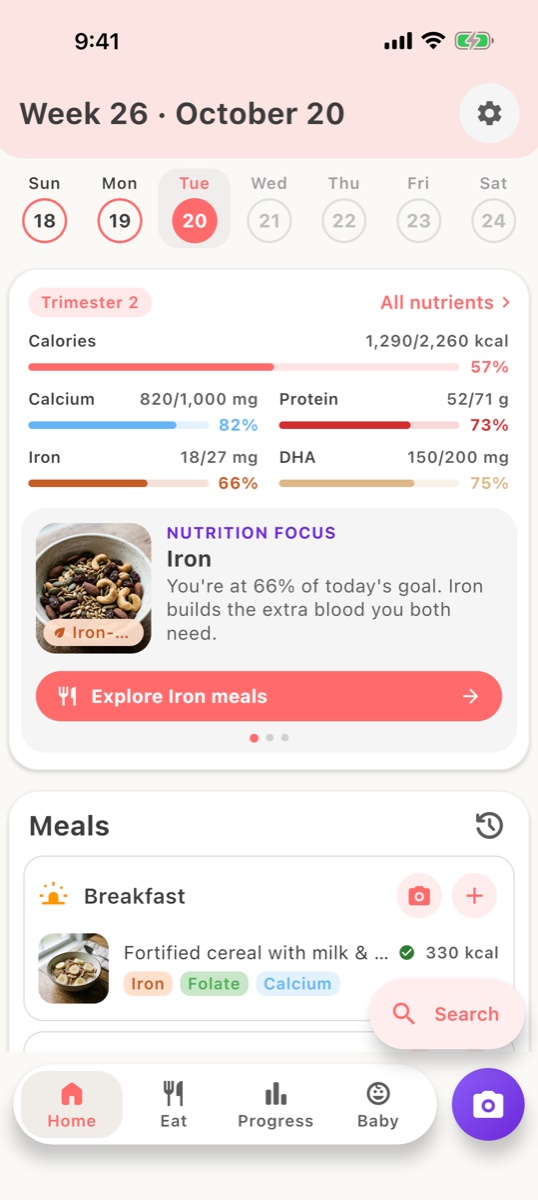
Each week's recommendation feeds the home screen's nutrition focus, so when the journey says increase calcium for growing bones, the tracker and the meal suggestions follow.
Alongside the week
Questions fréquentes
How many weeks does Avo cover?
42, from the first weeks after your last period to two weeks past the due date, since most babies arrive within two weeks either side of it. Each week has the baby's size, development milestones, your likely symptoms and a nutrition recommendation.
How does Avo know which week I am in?
From the due date you enter when you set up the app. You can work it out with our due date calculator from your last period, conception date, IVF transfer or scan, and change it in the app if your scan dates differ.
Does Avo have a kick counter?
Yes. The kick counter appears on the Baby tab from week 28, when counting movements becomes useful, and keeps a history. There is also a contraction timer for the end of the pregnancy, and daily logging of mood, symptoms and weight shown as monthly trends.
What are the checklists?
Ten checklists for the stages of pregnancy, including baby shopping, prenatal appointments and the hospital bag, plus a birth plan you can fill in, save and share with your partner or your care team.
Does the week-by-week include 3D views of the baby?
No. Avo's week-by-week is illustrated with a size comparison and written milestones; it does not have 3D models or videos. If that is what you want, our comparison with Pregnancy+ explains which app does it best and how the two work together.
Is the week-by-week free?
Yes. The journey, the Baby tab, the kick counter and the contraction timer do not need premium. Premium, at $29.99 a year or $3.99 a week in the US, unlocks unlimited food scanning, the full recipe library and the full guides and checklists.